

PROFILE-AWARE TESTING
DualSense Edge Controller Test
Record the active profile and physical settings before comparing input.
Connect with USB or Bluetooth, focus this page and press a controller button.
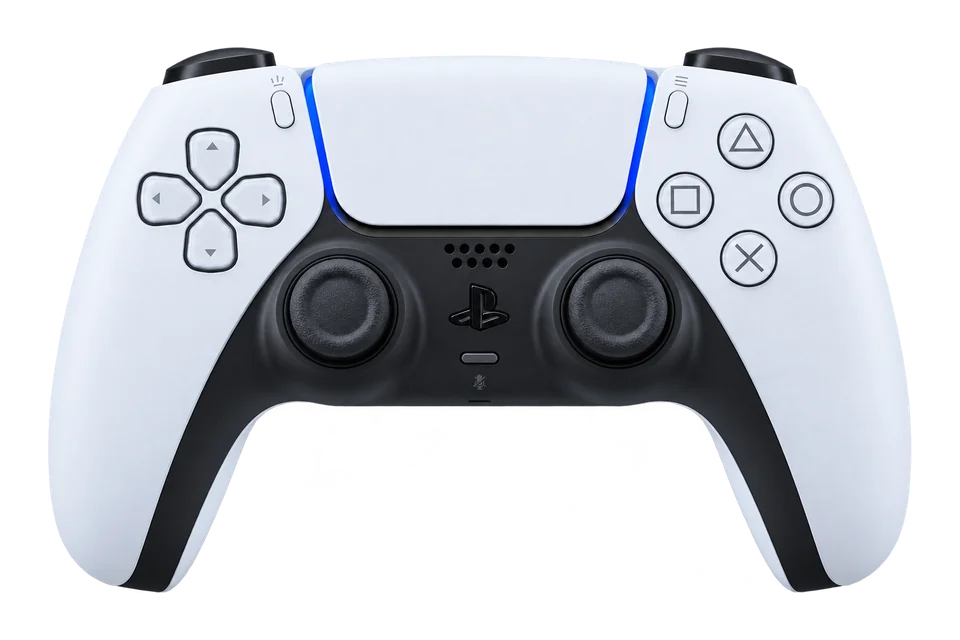
Product image unavailable.
Try the live diagram.
Choose a model to see its controller illustration. Live inputs appear in the buttons, triggers and stick plots.
THIS SESSION
Your Check At A Glance
TAKE A CLOSER LOOK
Range, Centring & Trigger Travel
Use the same connection, firmware and profile when repeating a check. These measurements describe browser input and do not assign a hardware health score.
Choose a guided measurement.
Trigger Travel · Last 6 Seconds
Slowly squeeze and release each trigger. A digital or instant-trigger mode can jump directly between endpoints.
Observed Press / Release Counts
↓ Presses · ↑ Releases. Counts start at observed state transitions; a control already held when sampling begins has no recorded press. Brief events between browser samples can be missed.
How to read these measurements
The guided sweep records the greatest radius in each of 32 direction sectors. A direction counts as covered at radius 0.75. Outline deviation is the mean absolute difference from radius 1, shown only after all directions are covered. An intended square response can have higher deviation.
Centring records four releases per stick: left, right, up and down. After input returns below radius 0.5, it settles for 0.4 seconds and averages the following 0.4 seconds, with at least five samples. Position spread is the greatest distance from the average of those four positions. Filtering can affect all results. This is not a latency or hardware polling-rate test.
Resting-Stick Measurement
This describes the input exposed by your browser. Firmware and remapping software can already apply deadzones. These readings do not certify hardware condition.
Raw readings & input history
Indices are shown as reported by the browser. Unknown layouts are not assigned stick or trigger names.
Waiting for controller input.
Check Every Control.
Step 1 of 5
- Buttons
- Triggers
- Stick drift
- Stick range
- Results
Connect a controller to begin.
Save, export or compare this session
KEEP YOUR BASELINE
Save Or Export This Session
Snapshots stay in this browser. Export a report before clearing site data or moving to another device.
Saved snapshots & comparison 0
Choose two records to compare. Imported files are checked locally and never uploaded.
By EmuCores · Setup guide · Updated 30 October 2026
Test The Controls Fitted To Your Edge
Choose DualSense Edge in the model selector and record the active controller profile. The browser identity can differ when a remapper supplies a virtual device.
Rear Buttons
Press a face button, release it, then press the rear control assigned to it. Matching browser indices can be expected. A rear control assigned to another type of action may not appear as an extra gamepad button.
Trigger Stops And Profiles
Record each stop position. Slowly press and release both triggers, then compare their minimum and maximum exposed values. A short physical travel and a full reported range are different measurements.
Keep The Comparison Consistent
- Name a baseline and record connection, firmware and profile.
- Run a resting-stick measurement and sweep the range.
- Change one profile setting, then save a second snapshot.
- Compare the observations and confirm the practical effect in the game.
Browser tests do not establish adaptive-trigger resistance, touch gestures or speaker output. Use Sony’s supported tools for those checks.
Sources And Further Help
Which Setting Changed The Result?
Use descriptive names such as “USB default profile” and “USB custom stick curve.” Keep the connection and physical stop positions the same, then repeat the exact action. A different response curve can change intermediate values without changing the maximum. A game deadzone can suppress movement in the game while the browser trace still moves.
The Rear Button Works In One Profile Only
Check the assignment in each profile and test the ordinary button that supplies its action. Record whether the action is disabled, reassigned or delivered through a remapper. If the normal control works but its rear assignment does not, that is a narrower observation than saying the whole controller is missing.
What Should I Send With A Support Enquiry?
Keep the exact model, firmware, connection, active profile and steps that reproduce the issue. Export the before-and-after reports if useful, reviewing the notes before sharing. Explain what happens in the affected game as well as in the browser.