CHOOSE FOR YOUR GAMES
PS5 Controllers: Compare The Right Details
Build a shortlist around your platform, controls and connection.
Build A Shortlist
Start with the exact PS5 edition and the features your games use. The shortlist below is a set of documented alternatives, not a hands-on performance ranking. Use the comparison tool to inspect connections and setup requirements, then check current manufacturer information.
 ControllerTester illustration
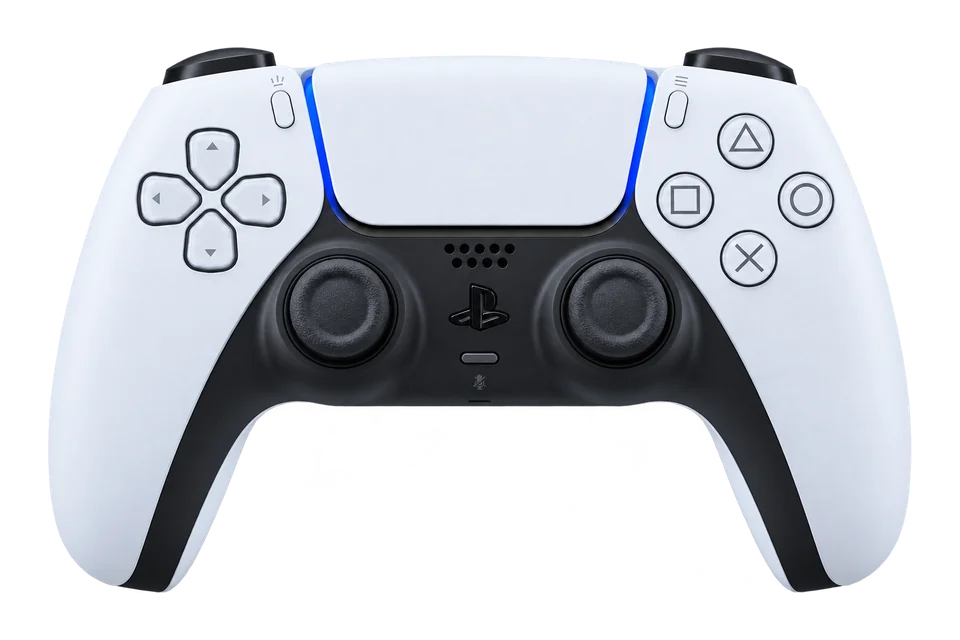
PlayStationDualSense
Symmetrical sticks, a central touchpad and Sony’s PS5 controls make the DualSense a familiar starting point for PS5 and PC testing.
Specifications & testing tips
- Platforms
- PC / PS5
- PC connections
- USB / Bluetooth
- Configuration
- PlayStation Accessories (supported model)
- Triggers
- Analog; adaptive resistance in supported games
- Extra controls
- Touchpad click, Create and microphone mute
- Feedback
- Haptic feedback in supported games; browser rumble is a separate check
Before You Test
Use USB data or supported Bluetooth. Touchpad click may appear; touch positions and adaptive triggers are outside this test.
Start with the normal manufacturer-supported PC connection. Record firmware, connection and profile before saving a snapshot.
What To Check Here
- Press each face button and direction once. Use the raw input list if the browser has no standard mapping.
- Move the sticks around their range, release them and run the resting-stick test. Save the active profile alongside the results.
- Squeeze and release both triggers. A short-travel or digital mode can change the values you observe.
Rear buttons can repeat existing inputs. Browser rumble does not test motion sensors, audio or adaptive-trigger resistance.
Setup documentation ↗
Consider it for: PS5 players who want the familiar Sony layout and supported-game adaptive triggers.
Check before buying: On PC, check feature support in each game and connection; basic button detection does not establish advanced haptics.
Alternative: DualSense Edge adds rear controls and replaceable stick modules if those are priorities.
Compare these models →
 ControllerTester illustration
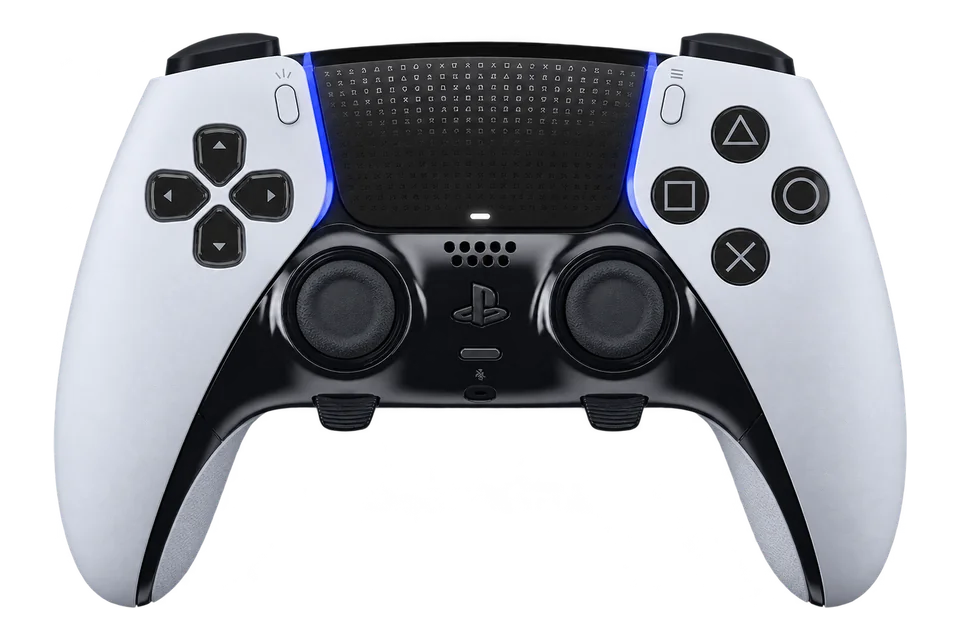
PlayStationDualSense Edge
Sony’s configurable PS5 controller adds rear controls, replaceable stick modules and trigger stops to the DualSense format.
Specifications & testing tips
- Platforms
- PC / PS5
- PC connections
- USB / Bluetooth
- Configuration
- PlayStation Accessories (supported model)
- Stick modules
- Replaceable modules; adjustable caps
- Triggers
- Analog with three stop positions
- Extra controls
- Two rear buttons and Fn profile controls
- Profiles
- On-controller shortcuts; PlayStation Accessories on PC
Before You Test
Record the active controller profile and rear-button assignments before comparing readings. Trigger-stop position can change the observed range.
Start with the normal manufacturer-supported PC connection. Record firmware, connection and profile before saving a snapshot.
What To Check Here
- Press each face button and direction once. Use the raw input list if the browser has no standard mapping.
- Move the sticks around their range, release them and run the resting-stick test. Save the active profile alongside the results.
- Squeeze and release both triggers. A short-travel or digital mode can change the values you observe.
Rear buttons can repeat existing inputs. Browser rumble does not test motion sensors, audio or adaptive-trigger resistance.
Setup documentation ↗
Product specifications ↗
Illustration reference: Model appearance reference. AI-generated illustration based on the model reference; small details and colour may vary. Colour and included accessories may vary.
Consider it for: Players who want Sony’s PS5 feature set with rear controls and interchangeable stick modules.
Check before buying: Check replacement-module availability and whether two rear controls cover your intended assignments.
Alternative: SCUF Reflex Pro offers a four-paddle approach; compare assignments and the exact edition.
Compare these models →
 ControllerTester illustration
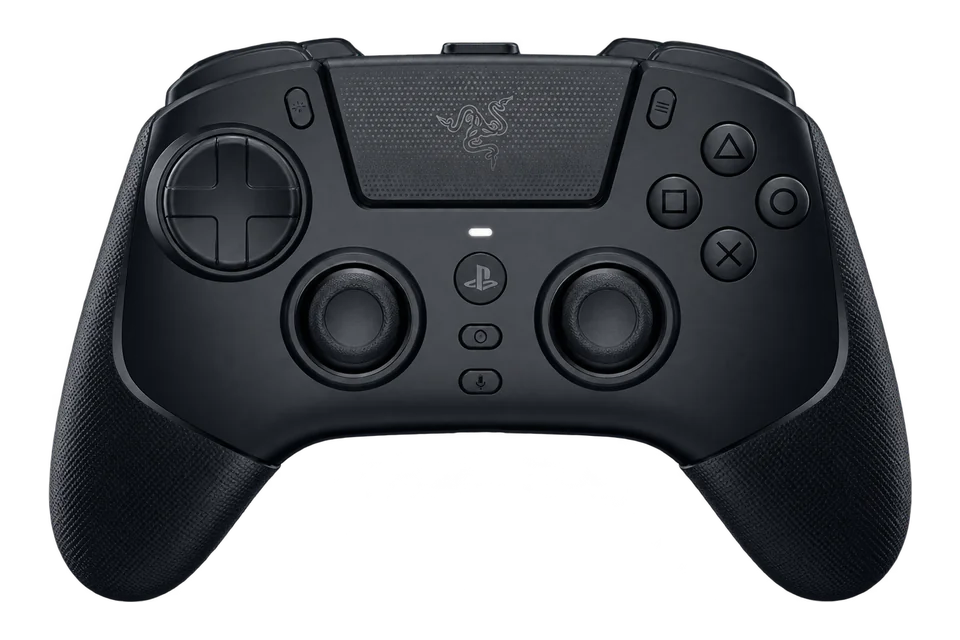
RazerRaiju V3 Pro
The PS5 Raiju V3 Pro uses symmetrical TMR sticks and removable rear controls. Its PC output can use Xbox-style button naming.
Specifications & testing tips
- Platforms
- PC / PS5
- PC connections
- USB / Receiver
- Configuration
- Razer model-specific support
- Stick technology
- TMR; interchangeable caps
- Triggers
- Dual-mode Razer Pro HyperTriggers
- Extra controls
- Four removable rear buttons; two extra bumpers
Before You Test
Select PC mode for Windows. An Xbox-style XInput identity is expected and does not mean the wrong controller was detected.
Compare each rear-button assignment with its face-button action. Use the same trigger mode for the baseline and retest.
What To Check Here
- Press each face button and direction once. Use the raw input list if the browser has no standard mapping.
- Move the sticks around their range, release them and run the resting-stick test. Save the active profile alongside the results.
- Squeeze and release both triggers. A short-travel or digital mode can change the values you observe.
Rear buttons can repeat existing inputs. Browser rumble does not test motion sensors, audio or adaptive-trigger resistance.
Setup documentation ↗
Product specifications ↗
Illustration reference: Model appearance reference. AI-generated illustration based on the model reference; small details and colour may vary. Colour and included accessories may vary.
Consider it for: PS5/PC players who want symmetrical sticks plus additional rear controls and bumpers.
Check before buying: Its PC mode can present Xbox-style input. Verify any PS5-specific feature you need before choosing it.
Alternative: DualSense Edge is an alternative when Sony’s configurable controller features are your priority.
Compare these models →
 ControllerTester illustration
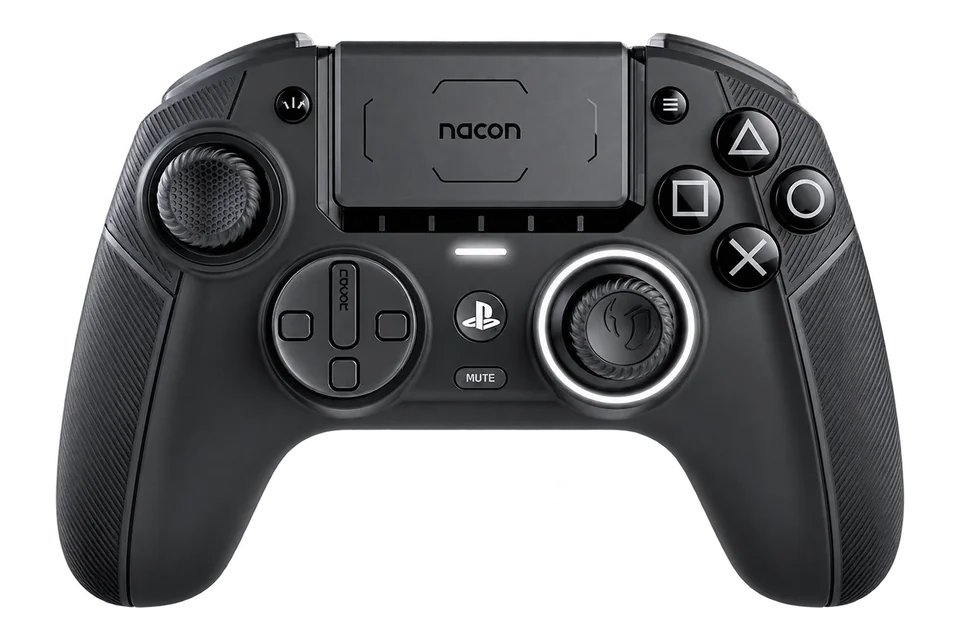
NACONRevolution 5 Pro
NACON’s offset-stick PS5, PS4 and PC controller combines magnetic sticks and triggers with four rear shortcuts.
Specifications & testing tips
- Platforms
- PC / PS5 / PS4
- PC connections
- USB / Receiver
- Configuration
- NACON model-specific configuration app
- Stick technology
- Hall effect
- Triggers
- Hall effect with trigger blockers
- Extra controls
- Four rear shortcut buttons
- PS5 features
- No adaptive-trigger resistance; do not infer advanced haptics from PC rumble
Before You Test
Select PC mode for a Windows test. Record the saved profile and do not infer PS5 haptic support from browser rumble.
Check the platform switch before testing. Save the active onboard profile so that a later reading uses the same response settings.
What To Check Here
- Press each face button and direction once. Use the raw input list if the browser has no standard mapping.
- Move the sticks around their range, release them and run the resting-stick test. Save the active profile alongside the results.
- Squeeze and release both triggers. A short-travel or digital mode can change the values you observe.
Rear buttons can repeat existing inputs. Browser rumble does not test motion sensors, audio or adaptive-trigger resistance.
Setup documentation ↗
Product specifications ↗
Illustration reference: Model appearance reference. AI-generated illustration based on the model reference; small details and colour may vary. Colour and included accessories may vary.
Consider it for: Players looking for offset sticks across documented PS5, PS4 and PC modes.
Check before buying: Check the manual for feedback and feature differences between platforms. Browser rumble does not establish PS5 haptic support.
Alternative: Compare DualSense for a symmetrical layout and supported-game Sony features.
Compare these models →
 ControllerTester illustration
SCUFReflex Pro
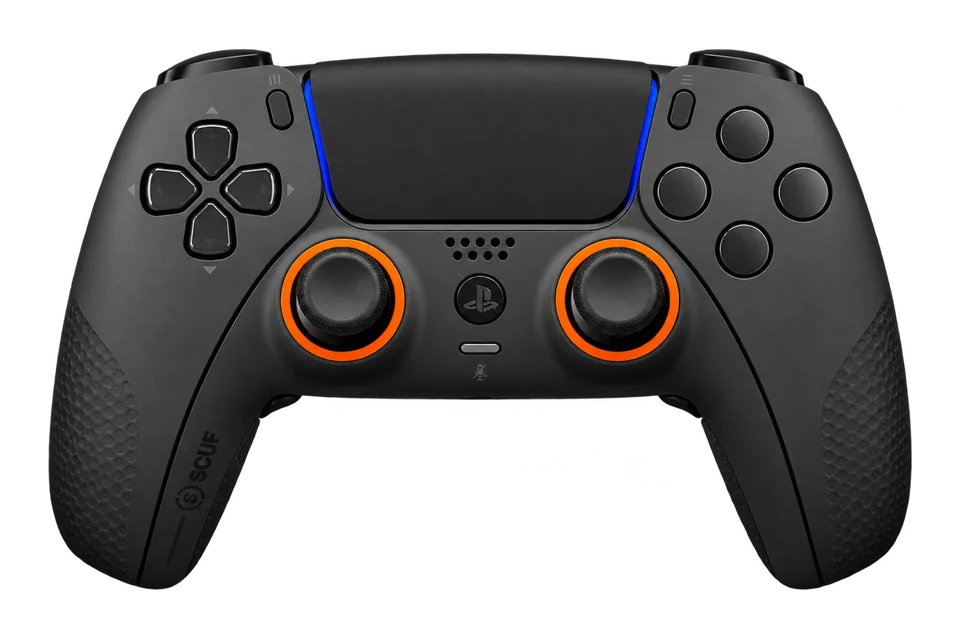
Reflex Pro keeps the DualSense-style PS5 experience while adding four remappable rear paddles and grip customization.
Specifications & testing tips
- Platforms
- PC / PS5
- PC connections
- USB / Bluetooth
- Configuration
- SCUF model-specific driver/profile tools
- Extra controls
- Four remappable rear paddles
- Triggers
- Adaptive triggers
- Feedback
- Vibration / haptics retained
- Revision note
- Check the original order for stick upgrades
Before You Test
Record the paddle profile. Browser input testing does not test adaptive-trigger resistance.
Record the controller revision and paddle profile. A keyboard or macro assignment may not create a separate gamepad button.
What To Check Here
- Press each face button and direction once. Use the raw input list if the browser has no standard mapping.
- Move the sticks around their range, release them and run the resting-stick test. Save the active profile alongside the results.
- Squeeze and release both triggers. A short-travel or digital mode can change the values you observe.
Rear buttons can repeat existing inputs. Browser rumble does not test motion sensors, audio or adaptive-trigger resistance.
Setup documentation ↗
Product specifications ↗
Illustration reference: Model appearance reference. AI-generated illustration based on the model reference; small details and colour may vary. Official Reflex family launch image; the image does not establish the pictured unit's Pro grip or stick revision.
Consider it for: PS5 players who want four rear paddles while retaining the Pro edition’s adaptive triggers.
Check before buying: Reflex FPS and Pro have different trigger/feedback choices. Check the exact configuration and stick revision on the order.
Alternative: DualSense Edge is another PS5 option if two rear controls and replaceable stick modules suit you.
Compare these models →
 ControllerTester illustration
Victrix / PDPPro BFG Reloaded — PlayStation
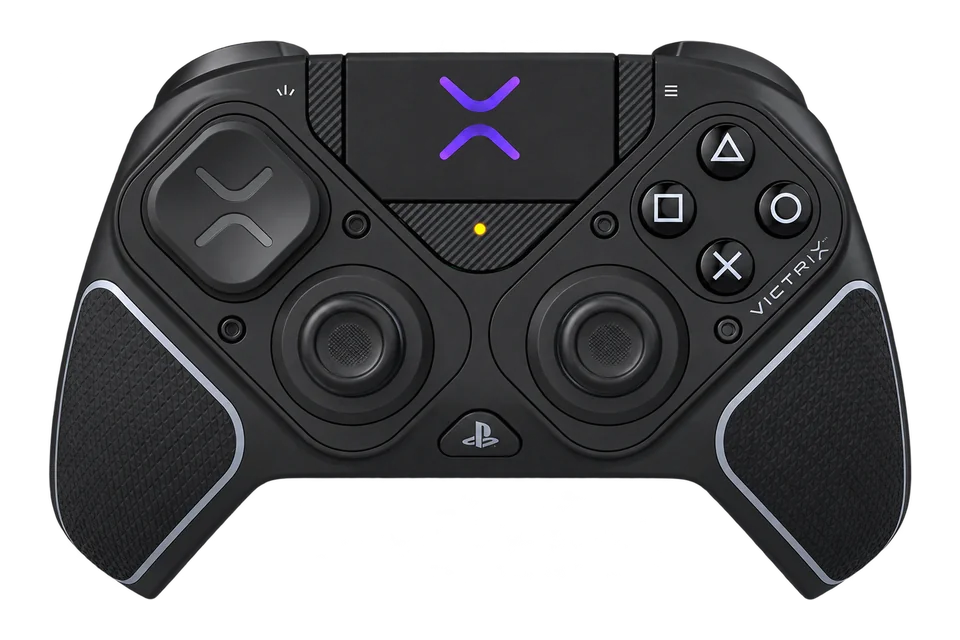
Reloaded updates the modular PlayStation Pro BFG with Hall-effect sensing and a revised fighting-game module.
Specifications & testing tips
- Platforms
- PC / PS5 / PS4
- PC connections
- USB / Receiver
- Configuration
- Victrix Control Hub, edition varies
- Stick technology
- Hall effect
- Triggers
- Hall-effect; five-stop Clutch Triggers
- Extra controls
- Four mappable rear buttons
- Modules
- Reversible controls and six-button Fightpad module
Before You Test
Check platform mode, USB or receiver connection, fitted modules and Control Hub profile.
Note the installed modules and trigger stops. If you rearrange a module, follow the manufacturer’s calibration instructions before recording a new baseline.
What To Check Here
- Press each face button and direction once. Use the raw input list if the browser has no standard mapping.
- Move the sticks around their range, release them and run the resting-stick test. Save the active profile alongside the results.
- Squeeze and release both triggers. A short-travel or digital mode can change the values you observe.
Rear buttons can repeat existing inputs. Browser rumble does not test motion sensors, audio or adaptive-trigger resistance.
Setup documentation ↗
Illustration reference: Model appearance reference. AI-generated illustration based on the model reference; small details and colour may vary. Colour and included accessories may vary.
Consider it for: Players who want modular control placement and a fightpad option in a PlayStation-edition package.
Check before buying: The module arrangement and platform mode affect how you should test it. Confirm included modules and feature support.
Alternative: DualSense Edge offers a fixed layout with replaceable stick modules rather than the same modular arrangement.
Compare these models →
Compare The Tradeoffs That Affect Your Games
- Platform and connection: verify the exact licensed edition. PC wireless support does not automatically mean wireless console support.
- Buttons and triggers: compare paddle placement and assignments, long analog travel and instant-trigger options.
- Comfort: check size, weight, stick placement and return terms. A browser test cannot measure how the grip fits your hands.
- Ownership: compare software support, receiver/cable requirements, warranty and replacement parts.
Test Your Purchase When It Arrives
Run the guided checkup and save a baseline with the exact model, connection and profile. A documented arrival test can help explain a later change in behavior.
Evidence And Commercial Links
Setup facts come from the linked manufacturers. We have not assigned performance scores or claimed physical testing of these models. Links marked Affiliate may earn a commission; ordinary manufacturer references are not automatically affiliate links. Read the editorial and affiliate policy.
Compare two models →

